


Some links in this guide are affiliate links. We may earn a small commission if you sign up, at no extra cost to you. We tested Gamma on a free account that we created ourselves and paid nothing for. Affiliate relationships do not influence what we report.
Last updated: 25 October 2026
Gamma does not generate a deck from your prompt any more. It writes a plan first, explains its reasoning, and waits for you to approve it.
That change, which arrived with Gamma 5, is the single most important thing to know before you type anything. It moves the work from writing one clever prompt to reviewing an outline, and it means a weak prompt now fails visibly at the plan stage instead of invisibly in the finished deck.
We generated one deck on the free plan in October 2026 to see how the flow actually behaves. It cost 49 credits of the 400 a free account receives, and the price appeared only after the deck was built.
Key takeaways
- Gamma 5 plans before it builds. You get an outline plus a written rationale, and a Generate button you have to press yourself.
- One 6-card presentation cost us 49 credits. A free account gets 400 credits once, at signup, not monthly. That is roughly eight decks in total, ever.
- The credit cost is not shown before you generate. We only saw the balance drop afterwards.
- The free plan caps you at 10 cards per deck and keeps Gamma branding on the output. Removing that branding starts at $9 per seat per month.
- The biggest prompt upgrade is not better wording. It is attaching your own logo and images and naming your brand colours, so the deck does not arrive looking like every other Gamma deck.
What changed, and why your old prompt habits no longer apply
Until recently, using Gamma meant writing one prompt and hoping. You typed a topic, Gamma produced an outline, and a few seconds later you had a full deck to fix up.
Gamma 5 splits that into two deliberate steps. You describe what you want, and instead of building anything, the agent returns a plan: a card-by-card outline, a suggested template, and a short paragraph explaining the editorial choices it made. In our test it wrote this about a six-card onboarding deck:
“I’ve centered the welcome on belonging first, then made the first week feel low-pressure and practical. The six-slide flow gives the team room to speak rather than putting every detail on screen.”
That is a point of view about the deck, not a description of a layout. You can argue with it before any credits are spent, which is the practical reason the change matters: a bad brief now fails at the outline stage, where fixing it is free, instead of in the finished deck, where fixing it costs another generation.
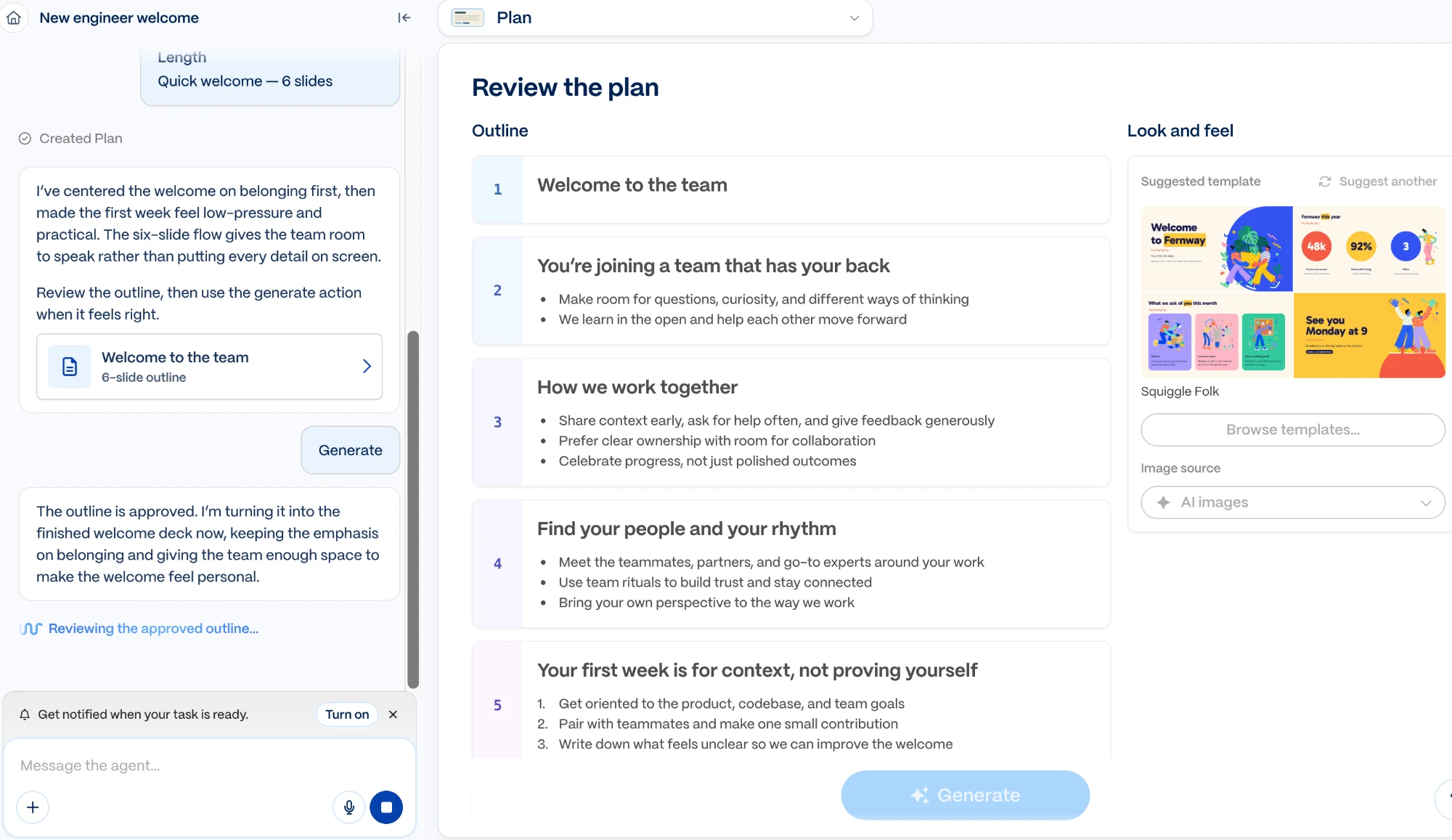
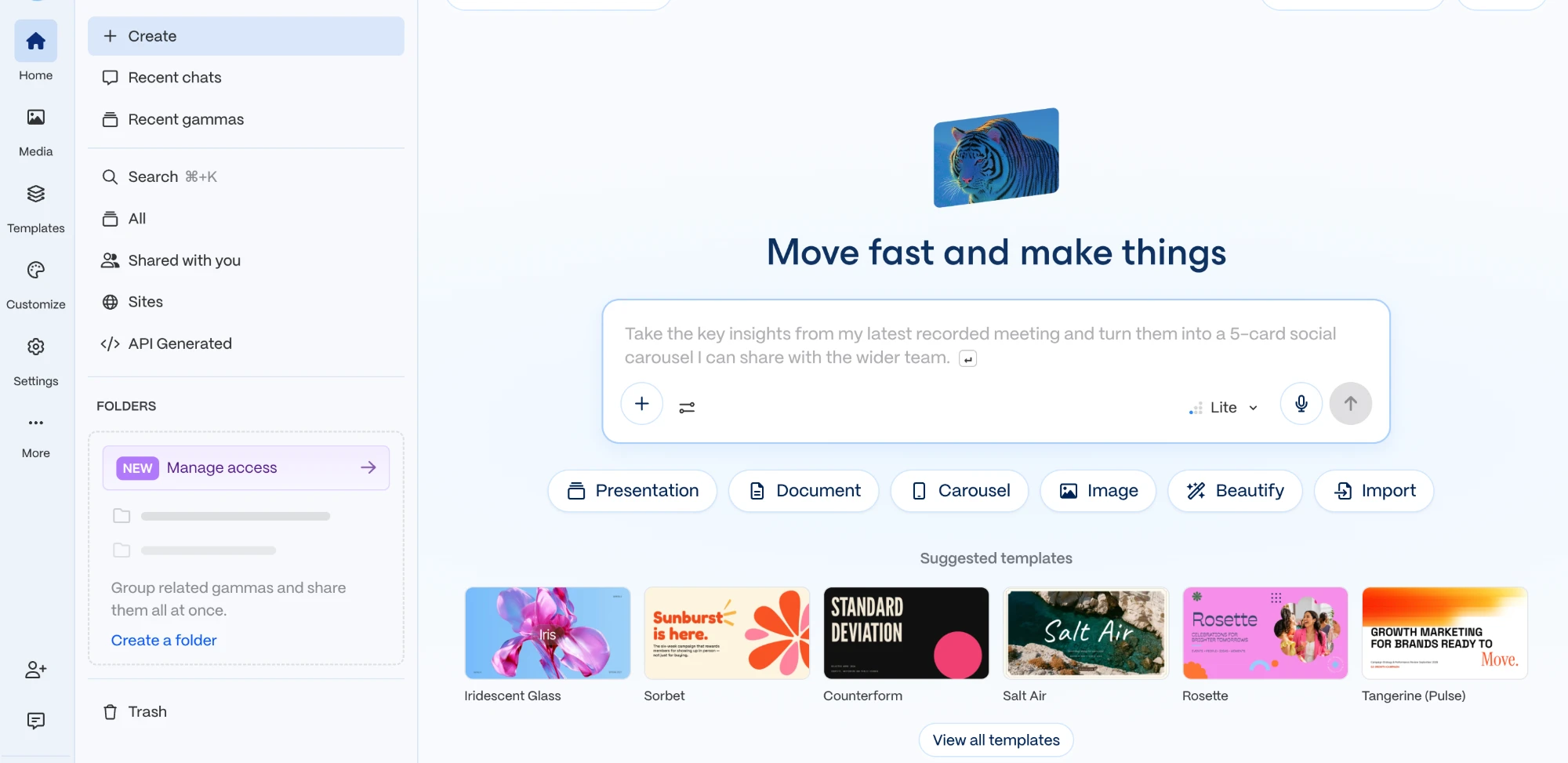
Two smaller changes follow from the same shift. The left-hand panel is now a persistent chat with the agent rather than a one-shot prompt box, so follow-up instructions are conversational. And the create screen offers six starting points instead of three: Presentation, Document, Carousel, Image, Beautify and Import, with Sites and an API section in the sidebar.
How we tested this, and what we did not test
We created a free Gamma account in October 2026 and generated one presentation through the full flow: onboarding, prompt, plan review, generation and editor. Every screenshot in this guide is our own. The credit figures are the balance we actually saw before and after that generation.
What this does not cover. One generation is enough to document a workflow and measure a single credit cost. It is not enough to judge output quality across formats. We did not test Document, Carousel, Beautify or Sites, we did not export to PowerPoint, and we have not run a second generation to confirm whether credit cost scales with card count. Where this guide describes export behaviour or paid-tier features, that comes from Gamma’s own pricing page, checked on 20 October 2026, and is labelled as such rather than presented as something we verified.
The prompt that actually works in Gamma 5
Most Gamma prompt advice tells you to name your audience and tone. That is still true and it is no longer the thing that separates a good deck from a generic one, because the plan step now handles structure for you. What separates them is everything you give Gamma that it cannot invent: your logo, your images, your colours, and the actual facts.
Gamma defaults its image source to AI images. Leave that alone and you get a deck that looks competent and anonymous, built from the same illustration style every other Gamma user is shipping. Upload your own material and name your colours, and the same engine produces something that looks like it came from your company.
Here is the structure we would use. Treat the bracketed parts as slots to fill.
Purpose: [the decision or action you want from the room].
Content to use: [paste your actual facts, figures and names here. Do not make Gamma guess them.]
Tone: [e.g. direct, no hype. Plain language.]
Brand: use the attached logo. Primary colour [hex], secondary [hex]. Keep backgrounds light.
Images: use the images I have uploaded where they fit. Only generate images where I have not provided one.
Leave out: [stock business metaphors, filler agenda card, thank-you card, whatever you never want].
And here is that filled in, as a prompt you could paste today:
Create a 10-card investor update for our existing shareholders.
Purpose: get approval for a 12 million SEK raise to open a fourth warehouse.
Content to use: Q1 2026 moved 1,842 units across Malmö, Gdańsk and Rotterdam. Margin held at 11.4 percent. Freight costs fell roughly a fifth after we renegotiated the Rotterdam contract. Returns dropped from 9 percent to 6 percent. Neither improvement was planned, and we are only forecasting the freight saving to hold.
Tone: direct, no hype. These people already own shares, so sell the decision, not the company.
Brand: use the attached logo. Primary #1b3a5c, secondary #d98a41. Light backgrounds.
Images: use the four warehouse photos I uploaded. Generate images only where I have not supplied one.
Leave out: stock photos of handshakes, an agenda card, and a thank-you card at the end.
Three things about that prompt are doing the real work.
The numbers are in the prompt, not left to the model. This is the single biggest cause of decks that look right and say nothing. Gamma will happily write “strong quarterly performance” if you do not give it 11.4 percent.
The brand instructions are explicit. Hex codes rather than “our blue”, the logo attached rather than described, and a clear instruction about which images are yours. Gamma’s image source dropdown sits in the Look and feel panel on the plan screen, so you can change it there before generating as well.
The exclusions are named. Telling a generator what not to produce is more reliable than hoping it reads your taste, and on a free plan where every card counts against a 10-card ceiling, a wasted agenda card is a real cost.
One free-plan caveat worth planning around: the 10-card limit is a hard cap, and the title card counts. Ask for ten and you may get nine of substance.
What the free plan actually buys you
This is the part that surprised us, and it is worth doing the arithmetic before you build a workflow on the free tier.
A free Gamma account receives 400 credits at signup. Our Gamma pricing breakdown works through the tiers in more detail. Not 400 per month. Four hundred, once, according to Gamma’s pricing page. Our single six-card presentation consumed 49 of them, leaving 351.
At the rate we measured, a free Gamma account is worth roughly eight presentations in total. Then it stops, and there is no monthly refill.
That figure rests on one measurement of one six-card deck, so treat it as an order of magnitude rather than a precise rate. Cost almost certainly varies with card count and with how many images are generated. We will update this with a second data point.
The paid tiers work differently, and they do refill monthly. Prices below are from Gamma’s pricing page, checked 20 October 2026.
| Plan | Price | Credits | What it unlocks |
|---|---|---|---|
| Free | $0 | 400 at signup, once | 10 cards per deck, Gamma branding stays on, PDF and PPTX import, export to PDF, PPTX, PNG and Google Slides |
| Plus | $9 per seat / month | 1,000 per month | Removes Gamma branding, 100 cards per deck, advanced AI image models |
| Pro | $18 per seat / month | 4,000 per month | Premium image models, custom branding, analytics, 10 custom domains, API access |
| Ultra | $90 per seat / month | 20,000 per month | Most advanced text, image and video models, 100 custom domains, early access |
If you are still weighing whether Gamma is the right tool at all, is Gamma AI worth it takes that question head on, and how to choose an AI presentation tool compares the wider category.
Annual billing is advertised at up to 28 percent off. For most individuals the real decision is Free versus Plus, and it is usually decided by branding rather than credits: the free tier leaves Gamma’s mark on your deck, and $9 removes it.
The one thing we would change about the credit system
We did not see what the generation would cost before running it. The plan screen shows the outline, the template and the image source. It does not show a price. The balance had simply dropped from 400 to 351 by the time the deck existed.
For a free account with a one-time allowance, that is the wrong order. You are asked to approve a plan without being told what approving it costs, and the information arrives when it can no longer change your decision. It is a small thing on a $90 plan with 20,000 monthly credits. It is not a small thing when you have eight decks in total and no way to know that until you have spent one.
The workflow, step by step
From signup to a finished deck took us a few minutes. The sequence below is what the product actually did in October 2026, in order.
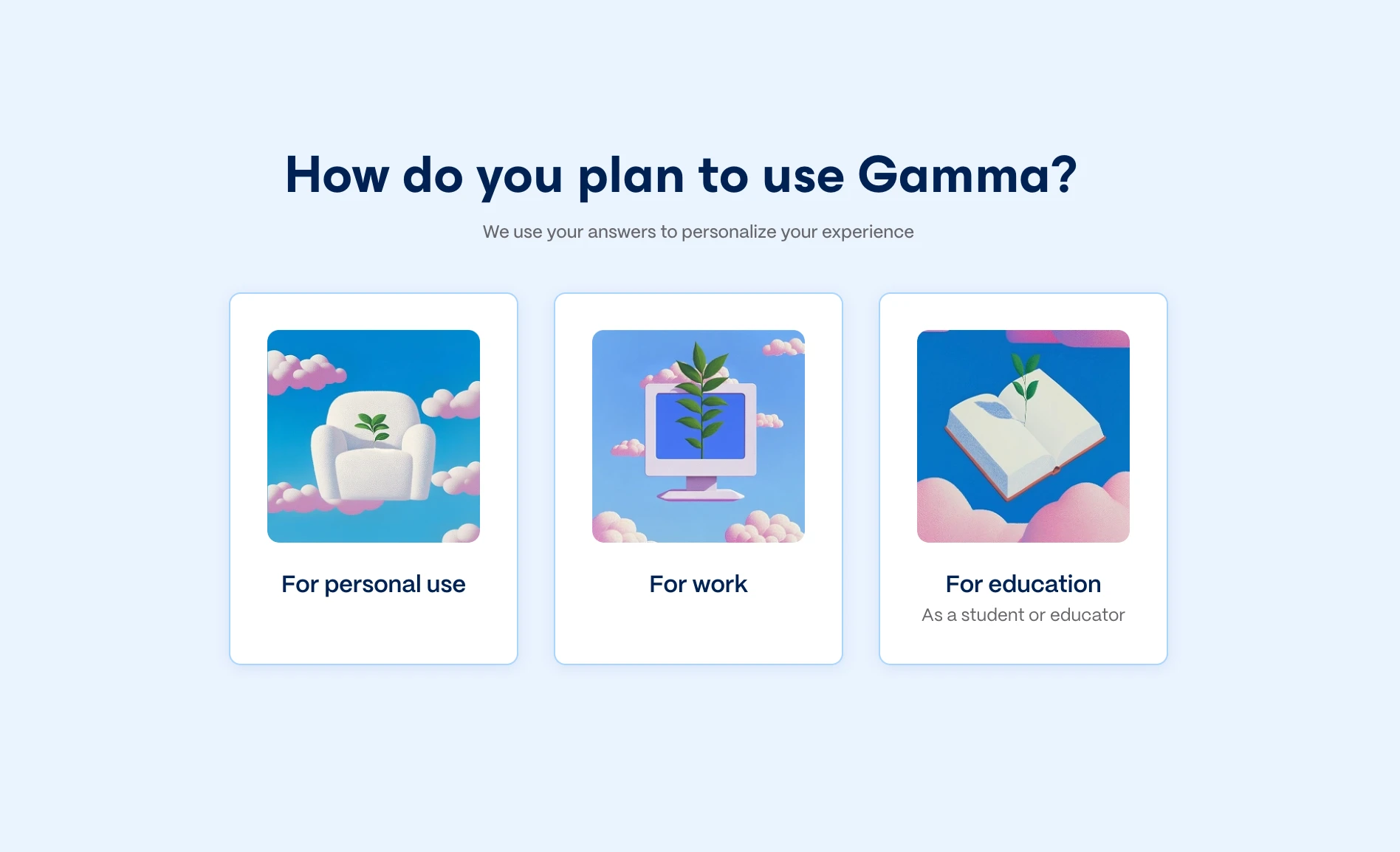
1. Onboarding asks three questions. How you plan to use Gamma (personal, work or education), your role, and the size of your organisation. It is quick and skippable, and it feeds template suggestions later. A short feature tour follows, covering the Gamma 5 visual refresh and the integrations.
2. Pick a starting point and write the brief. Presentation, Document, Carousel, Image, Beautify or Import. The model selector next to the prompt box defaults to Lite; the tiers above it are reserved for paid plans, so on a free account this is not a choice you get to make.
3. Review the plan. The agent returns a card-by-card outline with a written rationale, a suggested template, and an image source setting. Change anything you disagree with here, because this is the last free moment. The Look and feel panel is also where you switch image source away from AI images if you are supplying your own.
4. Generate, then keep talking. Press Generate and the deck is built. The agent then offers a follow-up pass of its own accord. In our test it suggested adding “your team name, rituals, tools, and a more specific first-30-days path”, which is a more useful prompt than most users would think to write themselves.
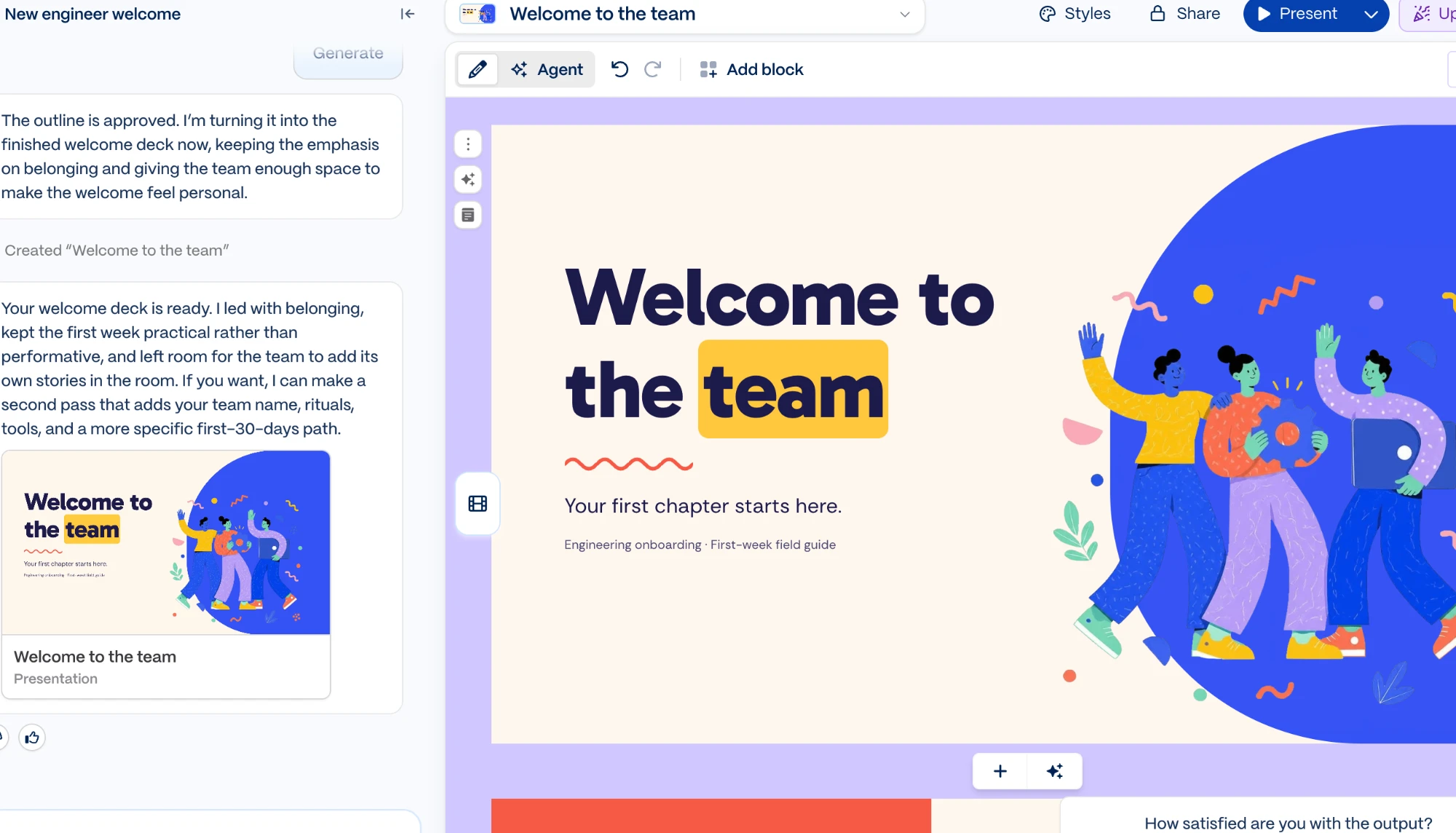
5. Edit, style, share. The editor has an Edit and Agent toggle, undo and redo, and an Add block control, with per-card actions in a floating rail. Styles, Share and Present sit along the top.
On the output itself: it is clean, it is fast, and it looks like Gamma. That tension is the subject of our full Gamma review, and of a wider piece on making AI decks that do not look AI-generated. The template system that makes the tool quick is the same thing that makes its decks recognisable across thousands of companies, which is the honest trade and the reason the brand instructions in the prompt section above matter as much as they do.
The integrations are the underrated part
Gamma can pull content from tools you already use rather than making you paste it. The onboarding tour showed connections to Slack, Notion, HubSpot, Google Drive, Atlassian, Asana, Gong, Dropbox, Microsoft 365 and Intercom, described as pulling live data, text, transcripts, files and context.
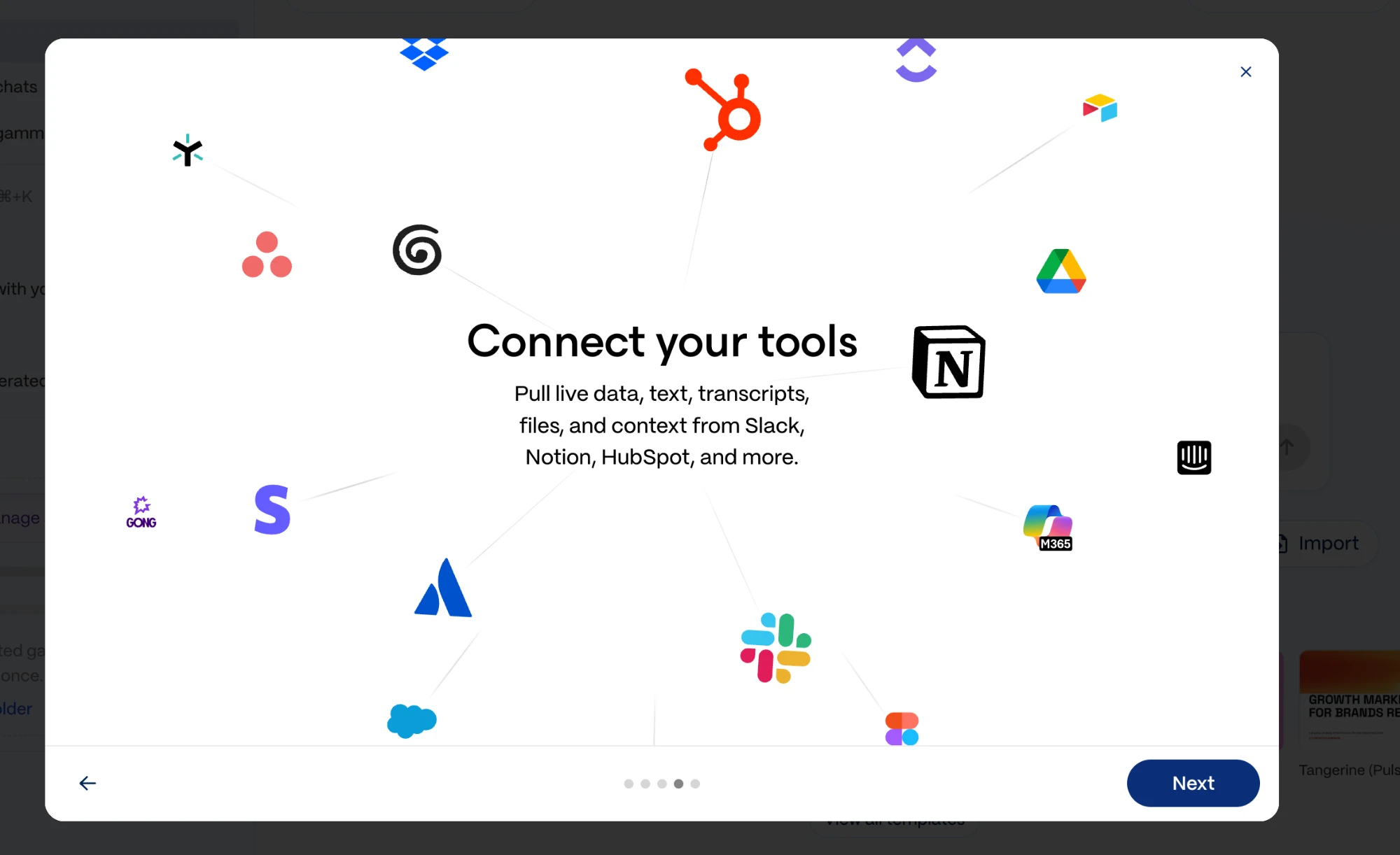
We did not connect any of them, so we cannot tell you how well they work. We are flagging them because this is the clearest structural difference between Gamma and the single-purpose deck generators it is usually compared against, and it is the feature most likely to matter in a team rather than for one person making one deck.
When Gamma is the right tool, and when it is not
- You need a presentable deck today and you do not have a designer
- The content exists already, in notes, a document or a connected tool
- Internal audiences: onboarding, updates, training, team rituals
- You want to argue with an outline rather than fight a blank slide
- The deck has to carry your brand exactly, and on the free tier it carries Gamma’s instead
- You need pixel control over layout, which the template system deliberately takes away
- Your deck lives inside PowerPoint and has to stay editable there
- You will build decks regularly and the free allowance is a one-off 400 credits
Frequently asked questions
How many credits does a Gamma presentation cost?
Our six-card presentation cost 49 credits on the free plan, measured as the difference between a 400-credit balance before and 351 after. That is one data point on one deck, and cost is likely to vary with card count and with how many images are generated, so treat it as a rough rate rather than a fixed price. Gamma does not display the cost before you generate.
Is the Gamma free plan actually free?
Yes, with a hard limit that is easy to misread. The free plan gives 400 credits at signup rather than monthly, caps decks at 10 cards, and leaves Gamma branding on your output. At the rate we measured, that works out to roughly eight presentations in total. Paid plans start at $9 per seat per month and do refill monthly.
How do I stop my Gamma deck looking like every other Gamma deck?
Give it material it cannot invent. Upload your logo and your own photographs, name your brand colours as hex codes rather than descriptions, and set the image source away from AI images in the Look and feel panel before you generate. Gamma defaults to generating its own illustrations, which is exactly why so many Gamma decks share a look.
Can I edit Gamma’s plan before it builds the deck?
That is the point of the plan step. The agent presents the outline, its reasoning and a suggested template, and nothing is generated until you press Generate. Since credits are only consumed at generation, the plan screen is the cheapest place to change your mind.
Can you export a Gamma deck to PowerPoint?
Gamma’s pricing page lists export to PDF, PPTX, PNG and Google Slides on every plan including Free, and import from PDF and PPTX. We did not test export fidelity in this session, so we cannot yet tell you how well a Gamma layout survives the trip into PowerPoint. Our guide to exporting AI slides to PowerPoint covers what usually breaks. We will add that when we have run it.
The takeaway
Gamma 5 is a better tool to use than the version most guides still describe, and the reason is the plan step. Being handed an outline and a rationale to approve is a genuinely better way to work than typing a prompt and hoping, and it is the part worth adjusting your habits around.
The thing to go in knowing is the economics. Four hundred credits sounds generous until you learn it is a lifetime allowance and that one short deck takes an eighth of it, and you will not be told that until after your first generation. If Gamma turns out to be useful to you, budget for the $9 plan early rather than discovering the ceiling mid-project.
And if you only change one thing about how you prompt it: stop describing your brand and start attaching it.
Next: Gamma vs Canva and Gamma vs PowerPoint put it against the two tools most readers already have open, and the best free AI presentation makers covers the alternatives if the 400-credit ceiling is a dealbreaker.

Richard Johnson
Richard Johnson is an AI specialist at one of the world's largest technology companies, where he has spent the past three years helping organizations adopt AI. CognitiveFuture extends that work publicly: gathering the available evidence on each tool, from vendor documentation to independent reviews and user feedback, combined with hands-on testing where we have done it and said so, and cutting a crowded market down to the right choice for the job in front of you.