Last updated: August 2026
- Blind or low-vision, need a screen reader → NVDA (Windows) or VoiceOver (Apple), both free
- Dyslexia, ADHD, or another reading difference → Speechify or NaturalReader
- Losing your voice to ALS or another condition → ElevenLabs’ free Impact program
- Deaf or hard of hearing, need live captions → Ava or Live Transcribe
Most “best AI voice tools” roundups are written for content creators picking a voice-over for a YouTube video. This one isn’t. It’s for people who rely on AI voice technology to read a webpage, get through a textbook, keep speaking after losing the physical ability to, or follow a conversation they can’t hear. Those are four different problems, and the tools that solve them barely overlap.
- ✅ Both completely free
- ✅ AI-powered image descriptions
- ✅ Widest real-world support
- ✅ Most natural-sounding voices
- ✅ Speed up to 9x for fast processing
- ✅ Polished mobile experience
- ✅ Free for ALS and MND patients
- ✅ Works from old recordings
- ✅ Only 10 minutes of audio needed
- ✅ AI plus human scribes for accuracy
- ✅ ADA-compliant
- ✅ Free for video calls and in-person
Screen Readers: What Has AI Actually Changed?
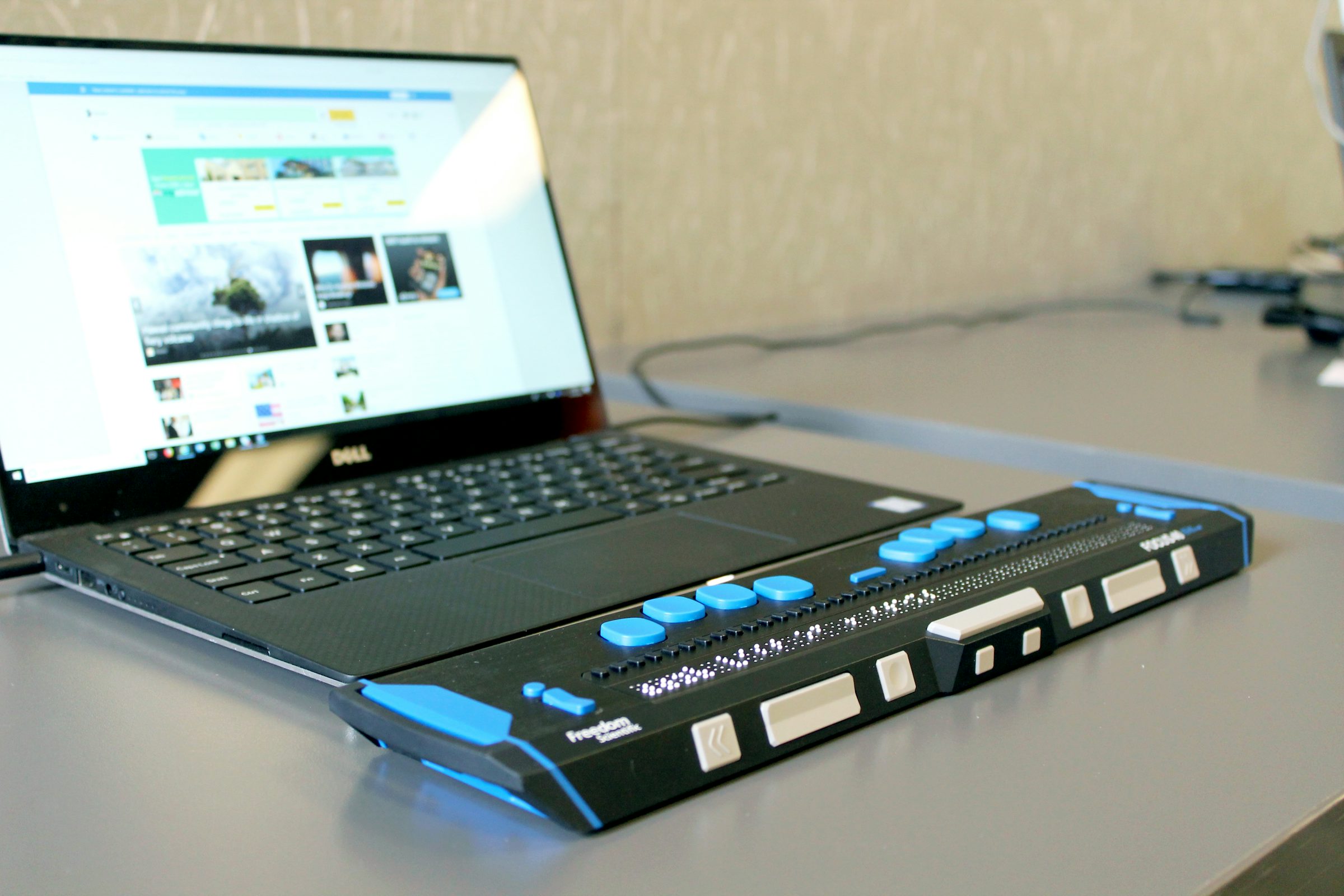
As of 2026, three screen readers cover the overwhelming majority of real-world use: NVDA and JAWS on Windows, and VoiceOver on Apple devices, with TalkBack serving the same role on Android. NVDA is free, open source, and used as the primary screen reader by roughly 35 to 40 percent of respondents in the WebAIM screen reader survey, making it the most impactful single option for most Windows users regardless of budget.
The real shift in 2026 isn’t a new screen reader, it’s what existing ones can now do. NVDA added AI-powered image descriptions that interpret what’s actually in an image rather than reading a blank or missing alt tag, which matters most on poorly built websites. JAWS added similar AI image description through its Picture Smart feature, along with an AI assistant called FSCompanion built to help users learn the software itself. Both are examples of screen readers moving from reciting code to interpreting what a page actually shows, which is a meaningful jump on the messy, inconsistently coded parts of the web that alt-text rules alone never fixed.
JAWS costs roughly $95 a year for a home license, with corporate licensing considerably higher, and remains the preferred option in professional environments where dedicated support and specialized business-software compatibility matter. NVDA and VoiceOver cost nothing. If you’re choosing for the first time and don’t have a specific professional requirement pulling you toward JAWS, start with the free option for your platform.
Text-to-Speech for Dyslexia, ADHD, and Reading Differences
Speechify and NaturalReader are the two tools people with dyslexia, ADHD, or other reading differences compare most often, and they optimize for different things. Speechify’s voices are widely reported as the more natural-sounding of the two, and its playback speed goes up to 9x, which several users specifically credit for letting them process information at a pace that matches how their attention actually works.
NaturalReader was built with accessibility as a stated core priority rather than an add-on. It includes OpenDyslexic font support, synchronized text highlighting as it reads, and OCR for scanned documents and photographed pages, features aimed specifically at dyslexia rather than at general TTS quality. It also offers a lifetime purchase option and a lower starting price than Speechify, which matters if you’re a student on a tight budget rather than a professional expensing the subscription.
Neither tool is “better” in the abstract. If document format support (scanned PDFs, photographed textbook pages) and dyslexia-specific typography are what you need, NaturalReader is built for that specifically. If voice naturalness and a more polished mobile app matter more day to day, Speechify tends to win that comparison.
Preserving Your Voice: What ElevenLabs’ Impact Program Actually Offers
For people diagnosed with ALS or another motor neuron disease, losing the physical ability to speak is one of the losses that comes with the diagnosis. Traditional voice banking, run for years through organizations like Team Gleason and the ALS Association, requires recording thousands of specific phrases over several hours while the voice is still strong enough to do so.
In 2026, ElevenLabs’ Professional Voice Cloning and Speech-to-Speech models can build a usable voice clone from as little as ten minutes of audio, and that audio doesn’t need to be recorded specifically for this purpose. Old home videos, voicemails, or even a podcast appearance can work as source material, which means someone who has already lost significant vocal function, or who never had the chance to bank their voice before diagnosis, may still be able to reconstruct it. Through its Impact program, ElevenLabs provides ALS and MND patients with a free voice cloning license.
One additional capability worth knowing about: ElevenLabs’ Flash v2.5 model includes a feature that takes slurred speech from a patient with advanced dysarthria and maps the intended prosody and emotional cadence onto the cloned voice in real time, effectively translating unclear speech into the person’s own clear voice as they speak. This is genuinely new technical ground, not marketing language, and it’s worth asking about directly if speech clarity has already started to decline. Traditional voice banking through the ALS Association remains a well-established, thoroughly documented path and is worth pursuing in parallel, particularly for anyone who wants a non-AI option or who is already partway through that process.
Live Captioning for Deaf and Hard-of-Hearing Users
Ava is the most fully built-out option for live captioning as of 2026, combining AI transcription with human scribes for situations where accuracy matters most. It’s ADA-compliant, offers free live captions for video calls on platforms like Zoom and Google Meet, and extends to in-person conversations and ASL interpretation services beyond just captioning.
Live Transcribe and Rylo cover the simpler, free end of the same need. Live Transcribe is built specifically for reliability in noisy environments and group settings, useful in situations Ava’s more feature-rich approach may be more than what’s needed. Rylo focuses specifically on phone call captioning, a narrower but genuinely useful slice of the same problem for anyone who needs real-time text during calls specifically rather than in-person conversations or video meetings.
Honest Frustrations: Where Each Approach Falls Short
Screen reader AI image descriptions still fail on complex or ambiguous images, and neither NVDA’s nor JAWS’ AI features replace the need for websites to write real alt text in the first place, they patch a gap that shouldn’t exist rather than fixing it at the source. Speechify’s dyslexia-specific features are genuinely thinner than NaturalReader’s, despite Speechify’s stronger voice quality, so picking on voice quality alone can mean missing document features you actually need. Voice preservation technology, however capable, doesn’t change the underlying diagnosis, and applying through a formal program takes time that not everyone has, starting the process as early as possible after diagnosis matters more than which specific technology you eventually use. AI live captioning still struggles with overlapping speakers, heavy accents, and specialized vocabulary, which is exactly why Ava pairs AI with human scribes rather than relying on AI transcription alone for its highest-accuracy tier.
Frequently Asked Questions
Is NVDA or JAWS better for a first-time screen reader user?
NVDA is the better starting point for most people: it’s free, widely supported, and used by roughly 35 to 40 percent of screen reader users as their primary tool. JAWS makes more sense if you work in a professional environment that specifically requires it or need its dedicated business-software compatibility and support.
Does Speechify or NaturalReader work better for dyslexia specifically?
NaturalReader was designed with dyslexia as a stated priority, including OpenDyslexic font support and synchronized highlighting. Speechify offers strong voice quality and fast playback speeds useful for ADHD-style rapid processing, but its dyslexia-specific features are less developed than NaturalReader’s.
How does ElevenLabs’ voice cloning work for someone who has already lost their voice?
ElevenLabs’ models can build a voice clone from existing audio that wasn’t originally recorded for this purpose, such as old home videos, voicemails, or podcast appearances, requiring as little as ten minutes of usable audio. This means voice reconstruction may still be possible even for people who didn’t get the chance to formally bank their voice before losing significant vocal function.
Is ElevenLabs’ ALS voice cloning program actually free?
Yes. Through its Impact program, ElevenLabs provides a free voice cloning license to patients diagnosed with ALS or another motor neuron disease. Contact ElevenLabs directly or through an ALS support organization to apply.
What’s the best free option for live captions during video calls?
Ava offers free live captions for platforms like Zoom and Google Meet and is ADA-compliant. Live Transcribe is a strong free alternative if you need something built specifically for noisy or group environments rather than one-on-one calls.
Do AI screen reader features replace the need for websites to have proper alt text?
No. AI-generated image descriptions in NVDA and JAWS help when alt text is missing or poorly written, but they’re a workaround for a problem that shouldn’t exist. Properly written alt text remains more accurate and reliable than an AI’s best guess at describing an image.
Final Verdict
Start with what you actually need, not a general ranking. NVDA or VoiceOver for screen reading, both free and both genuinely capable in 2026. Speechify or NaturalReader depending on whether voice quality or dyslexia-specific document features matter more to you. ElevenLabs’ Impact program if you or someone you know is facing voice loss from ALS or MND, alongside traditional voice banking as a parallel, well-established option. And Ava or Live Transcribe for live captioning, depending on whether you need the highest possible accuracy or a simpler free tool for everyday situations.
For a broader look at AI voice technology outside the accessibility context specifically, see our full ElevenLabs review or our guide to AI voice-over tools for content creators.
Tool pricing and features change frequently. Always check the official website for the latest information before signing up.
Sources
- WebAIM, Screen Reader User Survey data cited via industry comparison sources, retrieved 2026-08-04
- NV Access, NVDA official site and feature documentation, retrieved 2026-08-04, https://www.nvaccess.org
- Freedom Scientific, JAWS pricing and feature documentation, retrieved 2026-08-04, https://www.freedomscientific.com
- The ALS Association, “FYI: Voice Preservation,” retrieved 2026-08-04, https://www.als.org/navigating-als/resources/fyi-voice-preservation
- ElevenLabs, Impact program information, retrieved 2026-08-04, https://elevenlabs.io
- Ava, product and accessibility information, retrieved 2026-08-04, https://www.ava.me

Richard Johnson
Richard Johnson is an AI specialist at one of the world's largest technology companies, where he has spent the past three years helping organizations adopt AI. CognitiveFuture extends that work publicly: gathering the available evidence on each tool, from vendor documentation to independent reviews and user feedback, combined with hands-on testing where we have done it and said so, and cutting a crowded market down to the right choice for the job in front of you.