Some links in this article are affiliate links. We may earn a commission at no extra cost to you. Recommendations are based on independent research.
Table of Contents
Table of Contents
The short version
- AI is best for the concept stage: turn a blank yard into styled options in seconds. Verify the plants yourself.
- Feed it a five-point site brief (zone, sun, soil, drainage, what stays) or the output is generic.
- Best free start: Neighborbrite (free, unlimited); aigarden.design and LandscapeDesignsAI for more styles; Yardzen for build-ready pro plans.
- Read renders for structure, not exact plants or perfect scale.
- It pays off: landscaping returns roughly 100% or more at resale (NAR, 2023, US), and water-wise plant choices cut outdoor water use 20 to 50% (EPA).
How AI Is Changing Landscape Design in 2026
A yard is expensive to build and slow to fix, so the costliest mistakes happen on paper, before a single plant goes in the ground. AI has become the cheapest way to catch those mistakes early. You upload a photo, describe your space, and see your yard reimagined in seconds, which turns a blank, intimidating lawn into a set of concrete options you can react to. Homeowner appetite for this is already mainstream: a 2026 Adobe survey (of interior-design projects, but a fair proxy for how homeowners now use AI to visualize a space) found 49% of US respondents had already used AI on a home-design project. On a yard, where a mistake is measured in dead plants and dug-up beds, that head start matters even more.
This guide is deliberately grounded. AI is superb at the concept stage and unreliable about the things that actually keep plants alive, so the goal here is to use it for what it does well and hand the rest to your own eyes and local sources. If your project also touches buildings or structures, our guide to the best AI tools for architects covers that side, and this concept-to-visual shift is part of the wider move we track in AI for design.
Know Your Yard Before You Prompt
AI only knows what you tell it, so the quality of your input sets the ceiling on the output. Before you generate anything, gather five details about your site. Include them in every prompt, and the results stop being generic and start matching your reality.
- Climate zone. Your hardiness zone decides which plants survive winter. Without it, AI guesses, and its guesses often die in your ground.
- Sun exposure. Walk the yard across a day and note how many hours each area gets. Full sun, part sun, and shade support completely different plants.
- Soil type. A simple squeeze test tells you clay (holds water), sand (drains fast), or loam (in between). Name it so the plant list fits.
- Water and drainage. Flag low spots that stay wet and slopes that shed water. AI cannot see this in a photo unless you describe it.
- What stays. Patios, fences, sheds, utilities, and mature trees shape the whole layout. Tell the tool what is fixed so it designs around reality.
That is the entire site brief. You will reuse it for every tool and every prompt below, so it is worth getting right once.
The Best AI Landscape Design Tools in 2026
The tools split into a few clear jobs: reimagine a whole yard from a photo, plan an accurate layout, preview plants in real scale, or build a climate-matched plant list. Here is the shortlist, grouped by what each one is actually for.
| Tool | Best for | Type | Free tier |
|---|---|---|---|
| aigarden.design | Photo-to-design with style presets | Web AI | Free trial |
| LandscapeDesignsAI | Whole-yard redesign from a photo | Web AI | Yes |
| Neighborbrite | Free, unlimited DIY yard design | Web AI | Yes (free) |
| Yardzen | Build-ready plans (human + AI) | Design service | From $995 |
| Planner 5D | Accurate 2D/3D layout & hardscape | Web / app | Yes |
| iScape | AR preview in your real yard | Mobile AR | Limited free |
| Photoshop Generative Fill | Editing or removing one element | Desktop | Trial |
| ChatGPT | Climate-matched plant lists (verify) | Chat AI | Yes |
Reimagine your whole yard from a photo
aigarden.design and LandscapeDesignsAI both turn a yard photo into styled redesigns, with dozens of style presets and the ability to redesign just one area (say, swap a patch of lawn for a bed) instead of the whole scene. For DIY homeowners on a budget, Neighborbrite stands out because its core yard-design generator is free and unlimited, which makes it the easiest no-risk place to start. When you want a plan you can actually build from, Yardzen pairs AI with human designers and delivers build-ready packages, though that lands in paid territory (packages start around $995).
Plan the layout and preview it in your real yard
Planner 5D is the pick for accurate 2D and 3D layouts: patios, paths, fences, and how features fit together to scale. To sanity-check a design in the real world, iScape uses your phone’s camera and augmented reality to drop a tree or shrub into your actual yard so you can judge height, spread, and spacing before you buy. For targeted edits, Photoshop Generative Fill lets you remove or replace a single element in a photo when you just want to test one change.
Build a climate-matched plant list
ChatGPT is a fast way to draft a plant list once you feed it your zone, sun, soil, and goals, but treat its output as a first draft, not a final answer: verify every species against a native-plant database or your local extension service before you buy. Pinterest and Google Lens round out the kit, one for regional inspiration and the other for identifying a plant you already like. None of these three is a landscape tool exactly, but together they close the gap between a pretty picture and a plant that lives.
Design Styles You Can Test With AI
Style drives every later decision, from materials to plant palette, so it is the best thing to settle first. Generate a few versions of the same yard in different styles and the trade-offs become obvious. A few that translate well to AI previews:
- Modern minimal: clean lines, restrained evergreen planting, and simple geometry that suits contemporary architecture.
- Mediterranean: gravel, warm stone, terracotta, and drought-tolerant plants. Great in dry-summer regions, awkward in cold ones.
- Xeriscape: gravel, structural plants, and low-water species built around conservation. Strong in hot, dry climates.
- Native: regional plants that support local wildlife and, once established, mostly look after themselves.
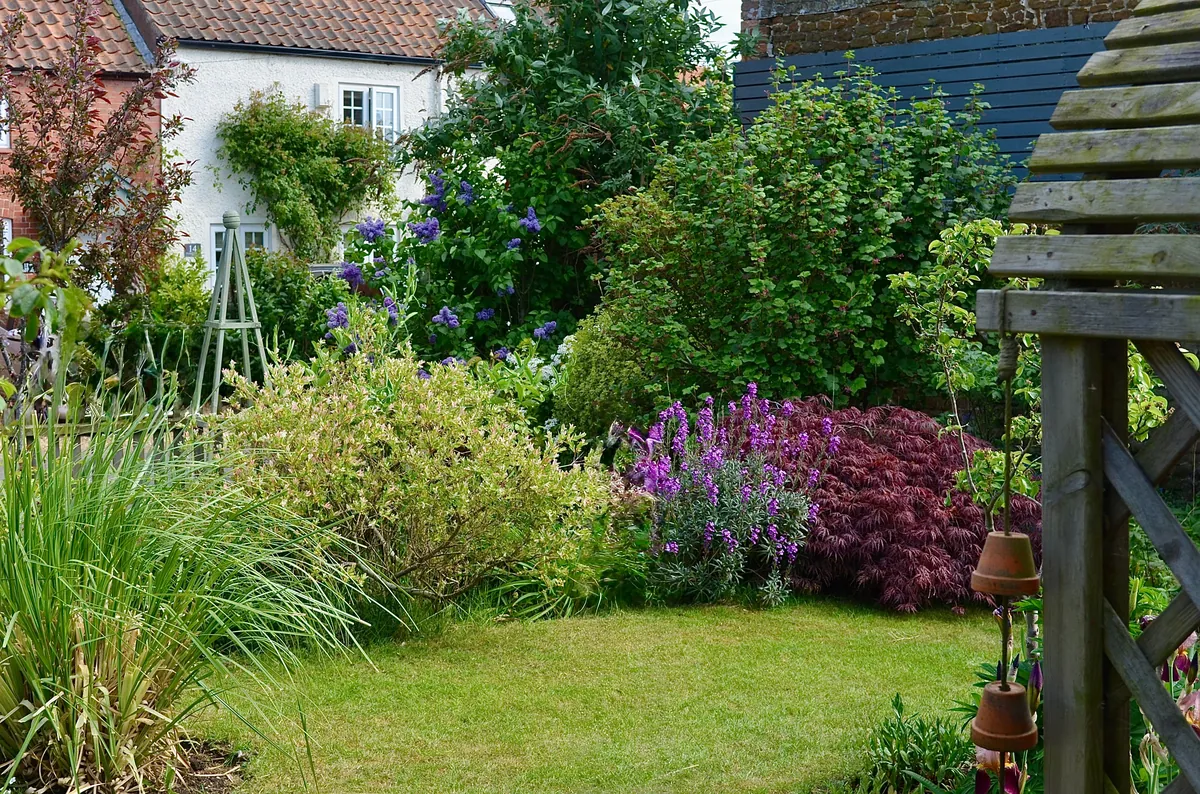
- Cottage: dense, informal beds and soft curved edges, at their best around older homes.
- Japanese-inspired: balance, restraint, and careful stone placement for a calm, ordered space.
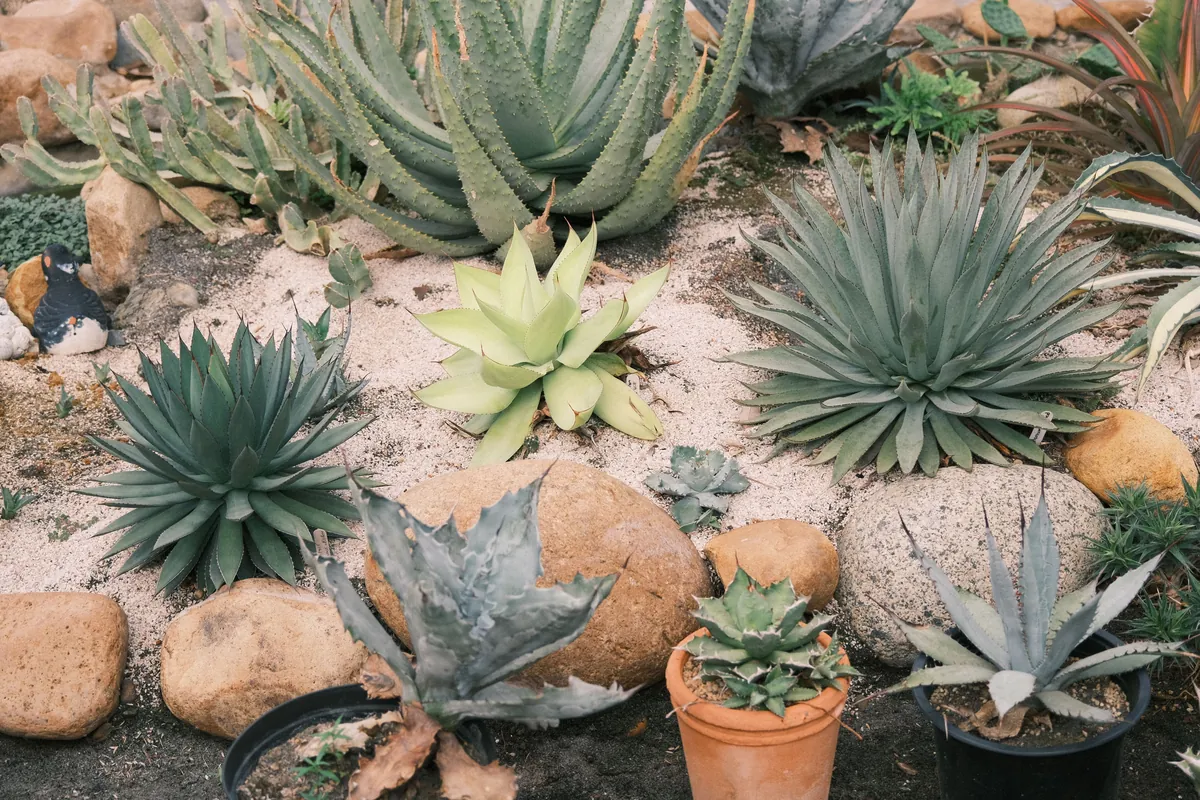
The point of these previews is not to copy the render exactly. It is to feel how a style sits against your house and climate before you commit money to it. A Mediterranean scheme that looks stunning in Arizona can feel wrong in a wet, cold region, and seeing that early saves an expensive misstep.
If the look needs to carry indoors too, our guide to AI for home design helps unify a patio with the rooms it opens onto, and the best AI tools for interior design cover the inside in depth.
How To Prompt AI for Better Results
Good prompts are specific and short. Lead with your site brief (zone, sun, soil, drainage, what stays), then state your goal and style in plain terms: “low-maintenance, pollinator-friendly, modern minimal, full sun, clay soil, zone 6.” Add material preferences if you have them, like gravel, mulch, or stone, and name a constraint if one matters, such as privacy from a neighbor. Then ask for several versions at once. Comparing four outputs side by side tells you far more than perfecting a single prompt, because the ideas that repeat across versions are usually the ones worth keeping.
How To Read an AI Design (and What To Ignore)
AI renders look polished, which is exactly why they mislead. Read them for structure, not literal detail. Look at how beds anchor the space, how paths set the circulation, and how planted areas balance open ones. That underlying logic is the part you keep. Then read plants as categories rather than species: tall grasses by a fence mean “put something vertical here,” repeated shrubs mean “mass for structure,” not “buy these exact plants.”
Scale is the other thing to distrust. AI loves perfect proportions that a real yard rarely has. If the render shows a generous path but your side yard is narrow, keep the idea and shrink the width to fit. You are borrowing the design logic, then fitting it to your measurements and budget.
The Limits of AI (and Why Local Knowledge Still Wins)
This is the section most tool roundups skip, and it is the one that saves your money. AI does not know your soil chemistry, your microclimate, or how water actually moves across your yard. It cannot see compacted soil or a drainage problem, and it regularly suggests plants that will not survive your zone. A gorgeous render with the wrong plants is still the wrong plan.
So treat the design as a strong starting point and verify the living parts against sources that know your region. Your state’s cooperative extension service, a local water utility, and the EPA’s WaterSense program publish science-based guidance on soil, irrigation, and plant selection. Native-plant organizations list species that thrive locally, with real water, sun, and spread data. A local nursery will tell you in one conversation what performs in your area and what does not. Pinterest boards from gardeners near you show how a plant actually looks after two seasons, not just on day one. Run your AI plant list past any of these before you spend, and swap out anything that does not fit. The concept stays strong; the plants stay alive.
Does It Pay Off? Cost and Water Savings
Two numbers make the case for planning before planting. First, resale value. The 2023 Remodeling Impact Report from the National Association of Realtors and the National Association of Landscape Professionals (US) found standard lawn care recovers about 217% of its cost at resale, an overall landscape upgrade about 100%, and 92% of Realtors advise sharpening curb appeal before listing. Getting the plan right is not just aesthetics; it is one of the better returns in home improvement.
Second, running cost, and this is where AI plant choices really earn out. The US EPA’s WaterSense program reports that landscape irrigation accounts for roughly a third of US residential water use, and that about half of it is wasted on evaporation, wind, and runoff. Water-wise and xeriscape designs can cut outdoor water use by 20% to 50%. Using AI to test drought-tolerant, climate-matched planting is a direct lever on that bill for years. On the upfront side, hiring a designer typically runs a few thousand dollars (industry estimates put professional landscape design around $2,200 to $6,180), while a DIY design workflow built on the free and low-cost tools above can cost close to nothing, which is much of AI’s appeal for homeowners.
A Simple Workflow for DIY Homeowners
If a blank yard feels overwhelming, follow the sequence below. Each step feeds the next, and AI slots into the middle where it is strongest.
- Know your yard. Write the five-point site brief and take clear photos from several angles.
- Generate concepts. Run your brief through a photo-to-design tool in one or two styles and produce several versions.
- Read the structure. Pick the layout logic that fits, ignoring exact plants and perfect proportions.
- Verify locally. Turn the concept into a plant list, then check it against native-plant sources, an extension service, or a nursery. Preview key plants in AR with iScape.
- Build in phases. Start with the beds or hardscape that make the biggest visual difference, then add lighting and extras as budget allows.
This is how a vague idea becomes a durable plan without a designer’s fee, and it keeps momentum without blowing the budget. Many homeowners run this loop alongside broader AI home-design tools when the project touches the house too.
For Professional Landscape Designers
For pros, AI is mostly about speed at the front of the project. The pattern is well established across design fields: a 2024-2025 Architizer and Chaos survey found 46% of architecture professionals already use AI tools, with a further quarter planning to, and 86% of users reporting time savings in design and visualization. In landscape work, that shows up as generating several concepts for a first client meeting in hours rather than days, which builds trust early and surfaces client preferences before anyone commits to technical drawings.
For client-ready mood boards, Gamma assembles concept images, plant photos, material samples, and notes into a clean shareable deck in minutes, which is handy when a client needs to approve a direction before the next phase. And once a concept is approved, the work shifts from design into operations: quoting accurately, scheduling crews, tracking time on site, and invoicing. Tradify is job-management software built for trades businesses, including landscape contractors, covering the enquiry-to-quote-to-invoice workflow with mobile job tracking and Xero or QuickBooks sync. It handles the operational side so approved concepts actually turn into delivered projects.
FAQs
Can AI design my entire yard for me?
AI can design the look of your yard, not the reality of it. It produces strong concept images and layout ideas in seconds, but it does not know your soil, drainage, or microclimate, and it often suggests plants that will not survive your zone. Use it for direction, then verify the plants and adjust the scale to your measurements.
What is the best free AI landscape design tool?
Neighborbrite is the strongest free option, because its core yard-design generator is free and unlimited. aigarden.design and LandscapeDesignsAI also offer free credits to start, and ChatGPT is free for drafting plant lists.
Are AI plant suggestions reliable?
Treat them as a first draft. AI does not track local pests, soil chemistry, or microclimates, so it can suggest species that fail in your area. Always check an AI plant list against a native-plant database, your state’s extension service, or a local nursery before buying.
Do professionals actually use these tools?
Increasingly, yes, mostly for early concept work and client communication rather than final drawings. Surveys of design professionals show most AI users report real time savings in visualization, and landscape designers use it to present several concepts fast, then move approved directions into CAD or 3D.
Can AI landscaping actually save money?
In two ways. It replaces some upfront design cost, and, more durably, it helps you pick climate-matched, drought-tolerant plants that cut water use. Since outdoor irrigation is about a third of home water use and water-wise design can cut that by 20% to 50%, better plant choices pay off for years.
The Bottom Line
AI is the best planning partner a yard project has ever had, as long as you keep it in its lane. Let it do the concept work: turn a blank lawn into options, test styles against your house, and rough out a plant palette in minutes. Then bring your own judgment and local sources to the parts that keep plants alive. Write your five-point site brief, generate several concepts, read them for structure, verify the plants where you live, and build in phases. Do that, and you get a yard that looks considered, fits your climate, and costs less to plan and to run.
Sources
- NAR & NALP, Remodeling Impact Report: Outdoor Features (2023, US) – landscaping return on investment at resale.
- US EPA WaterSense, Outdoors (US) – outdoor water use and water-wise savings.
- Adobe AI design survey, via PPC Land (2026, US) – homeowner AI-visualization adoption (interior, used as a proxy).
- Architizer & Chaos, architecture AI survey (2024/2025) – professional AI adoption and time savings.
- HomeGuide, Landscape Design Cost (2026, US) – professional vs DIY design cost (industry estimate).

Richard Johnson
Richard Johnson is an AI specialist at one of the world's largest technology companies, where he has spent the past three years helping organizations adopt AI. CognitiveFuture extends that work publicly: gathering the available evidence on each tool, from vendor documentation to independent reviews and user feedback, combined with hands-on testing where we have done it and said so, and cutting a crowded market down to the right choice for the job in front of you.